War of Circles Account Safety Checklist
Practical steps to avoid executors, phishing Domains, browser traps, and fake staff while you play.
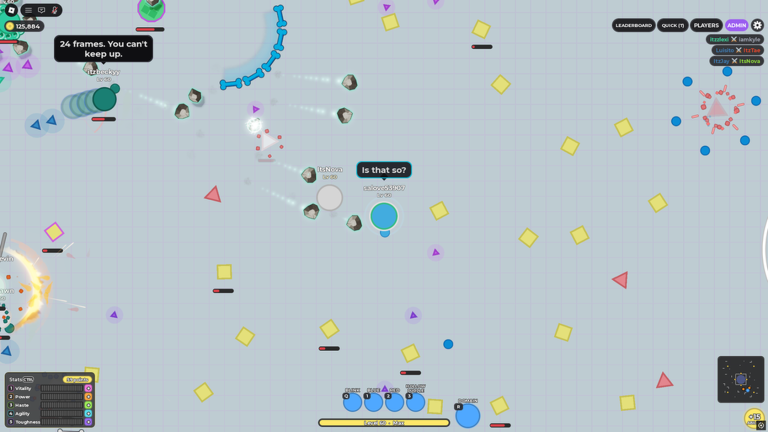
Players hunting War of Circles scripts often land on account-theft funnels before they ever see a working tool. This safety checklist is the defensive companion to the Scripts hub. It explains what to refuse, how phishing “free Domains” usually works, why browser extensions and fake Discord admins are dangerous, what Roblox Terms of Use risk looks like, and what this wiki will never host. As of November 2026, we still have no verified public scripts for War of Circles — and we will not invent payloads to fill the gap.
If you came here because progression feels slow, pair this page with Getting Started and the Codes hub instead of an executor video. Trusted destinations for the live place and Vessel Game group sit on the Official Links page.
Quick checklist before you click anything
- Confirm you are on the real Roblox experience (place id
110863619986582) via Official Links. - Refuse any download that requires an executor,
.exe,.apk, or “keyless” installer. - Never type your Roblox password into a site that promises unlocked classes or Domains.
- Ignore Discord DMs from “admins,” “moderators,” or “Vessel staff” who message you first.
- Skip browser extensions that claim to auto-redeem codes or reveal hidden upgrades.
- Keep Roblox 2FA on and treat session cookies like cash.
- Recheck Scripts for verification status before you research tools after a patch.
- If a page asks you to disable antivirus, close it immediately.
Print that list mentally every time a chat link looks too good.
Why executors are a bad default for this game
War of Circles is a live 16-player PvP arena with 39 classes, Domain Expansions, and hundreds of upgrades. Injected tools promise ESP, auto-farm, or Domain macros. In practice they:
- Break after Vessel Game patches — early-life arenas churn APIs fast.
- Bundle stealers that siphon cookies while showing a flashy UI.
- Trigger player reports even when detection is delayed.
- Violate Roblox Terms of Use and can cost the account you are “optimizing.”
You do not need an executor to learn the loop. Clean binds, a forgiving Tank or Hybrid archetype, and a planned upgrade path beat a random inject that dies next Tuesday. Start with Getting Started and keep Scripts as a status board, not a download mirror.
Phishing pattern: “free Domains” and unlocked classes
The most common bait for War of Circles fans is a fake reward page:
- A chat or Discord message claims Vessel Game is giving free Domain unlocks or all 39 classes.
- The link opens a Roblox-looking login or an “authorize” screen.
- You paste credentials or click through an OAuth prompt that hands over a session.
- The scammer empties limiteds, spam-messages your friends, or holds the account for ransom.
Hard rules:
- Real rewards redeem inside the experience or through official Roblox flows — see Codes.
- Vessel Game will not ask for your password in DMs.
- “Generator” sites that spit fake codes are noise; we list only verified rows when they exist.
- If a site needs your cookie,
.ROBLOSECURITY, or a screenshot of email codes, it is theft.
When in doubt, open the place from Official Links yourself instead of clicking the embedded URL in chat.
Browser extensions and “QoL” overlays
Not every trap is a full executor. Browser extensions that promise auto-codes, overlay ESP in the Roblox web player, or “inventory boosters” often request broad permissions:
- Read and change all site data
- Access cookies on roblox.com
- Download additional scripts remotely
Those permissions are enough to steal a session without a classic inject. Prefer Roblox’s own settings and in-experience UI. If you install any extension for accessibility, review permissions like you would a banking app — and never install one solely because a War of Circles ad told you to.
Fake Discord admins and support theater
Scammers impersonate moderators with copied avatars and urgent tickets:
- “Your account was reported for scripting — verify here.”
- “Claim your launch Domain chest before it expires.”
- “Sync your group rank for Vessel Game perks.”
Real support does not begin with a cold DM asking you to verify on a third-party site. Mute, block, and report. Cross-check group shouts on the official Vessel Game community linked from Official Links. Fan servers can be useful for tips, but they are also where phishing links spread fastest — treat every unexpected DM as hostile until proven otherwise.
Roblox Terms of Use risk (plain language)
Using third-party clients, automation, or exploits can violate Roblox rules. Outcomes range from warnings to account bans. Even “client-sided only” tools can trip reports in a competitive arena. This wiki is informational: we describe risks so you can make sober choices. We are not instructing you to break Terms of Use, and we are not providing tools that do.
If your goal is simply to enjoy Domain fights and climb a fair upgrade tree, staying inside official clients is the low-drama path. Codes, when they exist, belong on Codes. Skill growth belongs in Getting Started and the wider guides set.
What this wiki will never host
We keep an explicit refuse list so expectations stay clear:
- No executor payloads, obfuscated pastebins, or “paste into X” blocks.
- No step-by-step inject tutorials or undetection claims.
- No mirrored malware Discord invites as download sources.
- No fake script feature tables inventing tools we have not verified.
- No password gates, key generators, or “free Robux” side funnels.
The Scripts hub stays honest about empty verification. This checklist exists so that empty status does not push you into the first shady mirror Google surfaces. When trustworthy, actively maintained tools appear — if ever — we may summarize feature categories without dumping raw code. Until then, assume viral clips promising infinite Domains are outdated, bait, or both.
If you already clicked something bad
Act in order:
- Change your Roblox password from a clean device.
- Sign out other sessions and review connected apps / authorized third parties.
- Enable or refresh 2FA.
- Tell friends not to click the same link if your account DMs them.
- Scan your PC if you ran an installer; prefer professional malware guidance over random “cleaner” tools from the same Discord.
- Return to legitimate progress paths: Getting Started, Codes, and status-only notes on Scripts.
Do not “test one more executor” to see if the first one was fake. That is how second-stage stealers land.
Safer research habits (if you still look)
Some players research tools even after reading warnings. If that is you:
- Search with the current patch window in mind, not year-old titles.
- Demand recent footage inside the real War of Circles UI, not reused diep.io clips.
- Read comment sections for “stealer,” “detected,” and “patched” before any download.
- Verify place id so you are not installing tools aimed at a clone experience.
- Stop when results are empty — empty is safer than desperate.
Then ask whether the hours spent researching injects would have cleared more arenas with a planned Tank or Hybrid tree. Most of the time, the honest answer is yes.
Related pages
- Status board: Scripts
- Legal rewards: Codes
- Official place and group: Official Links
- First-hour plan: Getting Started
War of Circles rewards positioning, Domain timing, and upgrade discipline. Protect the account that holds that progress. Use this checklist every time a shiny link promises to skip the part of the game that is actually fun.
Frequently Asked Questions
Quick answers for War of Circles on Roblox.
Does this wiki host War of Circles scripts?
No. We do not host payloads, inject tutorials, or unverified downloads. The Scripts hub only reports verification status and risks.
How do fake free Domain links steal accounts?
They mimic login or authorize pages to capture passwords or session cookies. Real rewards redeem in-game or through official Roblox flows.
Are browser extensions safe for codes?
Extensions that request Roblox cookie access are high risk. Prefer the official client and the Codes hub for redemption guidance.
What should I do after running a shady installer?
Change your password, sign out other sessions, refresh 2FA, warn friends, and scan the device. Do not test another executor from the same source.
Can using scripts get me banned?
Yes. Third-party clients and automation can violate Roblox Terms of Use and lead to moderation, separate from malware risk.